
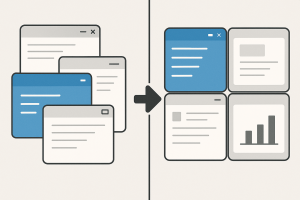
 If you’ve ever juggled multiple windows and wished for an easier way to organize them, Windows Snap is your new best friend. With just a few keyboard shortcuts, you can instantly arrange apps side by side, stacked, or in neat quadrants without dragging or resizing anything.
Try these simple key combos:
• Win + ← or Win + → – Snap the current window to the left or right half of your screen.
• Win + ↑ – Maximize the window.
• Win + ↓ – Restore or minimize it.
(Pro tip: press the same key combination multiple times to cycle through different layouts.)
It’s a small feature that makes a big difference in productivity. Snapping a browser next to your notes, or a spreadsheet beside your email, helps you stay focused and saves time switching between programs.
Once you start using Snap, you’ll wonder how you ever managed without it.