
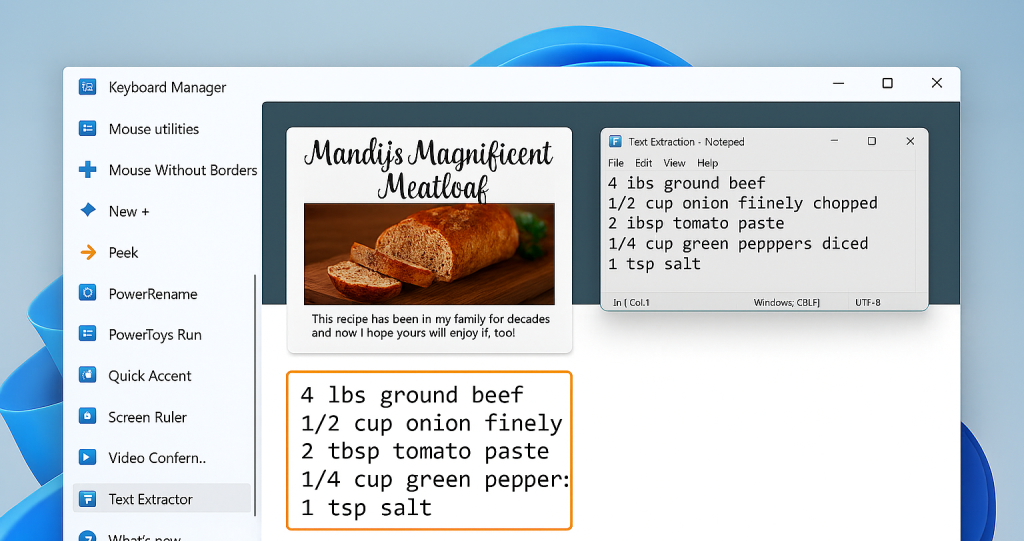
 Ever tried to copy text from a PDF, screenshot, website image, or scanned document… and couldn’t? Instead of retyping everything manually, Windows now includes a built-in way to extract text directly from your screen. No extra software. No add-ons.
How It Works
Windows’ built-in Snipping Tool can now recognize and copy text from screenshots.
Here’s how to use it:
- Press Win + Shift + S
- Drag your mouse to capture the area that contains the text
- Open the Snipping Tool preview
- Click “Text actions” (or the text icon)
- Copy the detected text
- Paste it anywhere with Ctrl + V
That’s it. Instead of retyping line by line, Windows does it for you. Small productivity shortcuts add up. If you or your team regularly copy information from documents, invoices, reports, or web pages, this built-in tool can save hours over time. And because it’s part of Windows, there’s nothing extra to install or manage.