
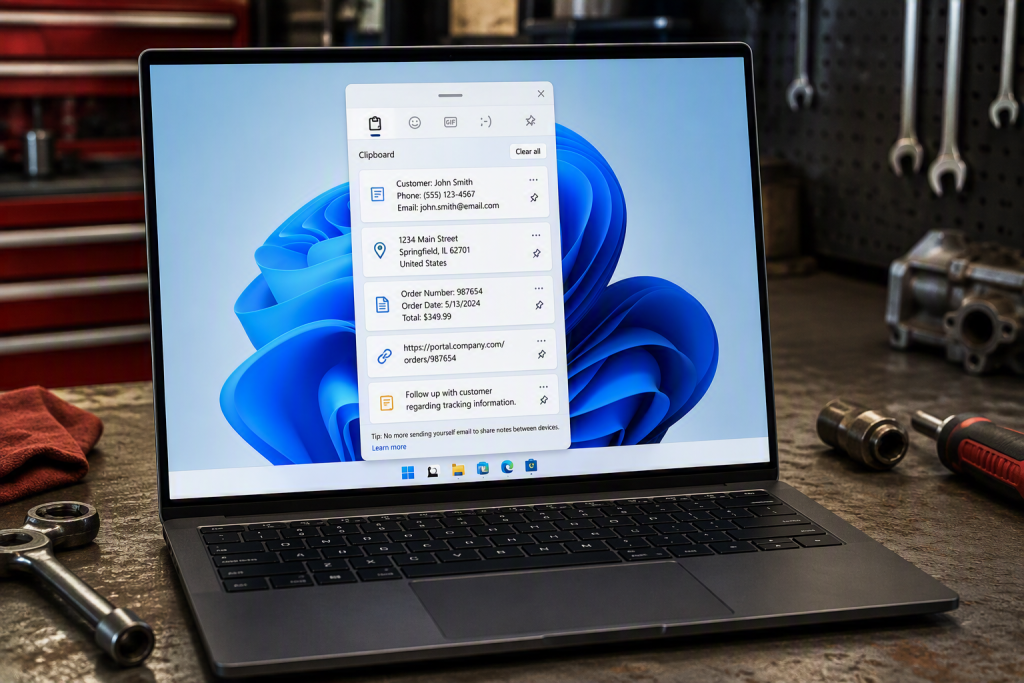
 Have you ever copied something only to then accidentally copy something else before pasting? Most people assume Windows only remembers the last thing copied, but Windows 11 includes a built-in Clipboard History feature that can save time throughout the day.
It’s especially helpful when working with emails, customer information, addresses, phone numbers, or order numbers. Instead of going back and copying the same information again, you can quickly pull up recently copied items.
How It Works
- Copy text normally with Ctrl + C.
- Copy a few more items.
- Press Windows Key + V.
- A list of recently copied items appears.
- Click the item you want to paste.
The first time you use it, Windows may ask you to turn Clipboard History on.
This may only save a few seconds at a time, but those seconds add up over the course of a busy workday.
If you would like help getting more from the technology you already use, Wingman IT Services can help. Contact us to learn more about simple tools and best practices that can improve productivity.