
 Most people organize their files, emails, and documents, but very few organize their browser tabs. That’s a problem when your browser has become the place where most of your work gets done.
If you regularly have a dozen or more tabs open, Tab Groups can help keep them organized. Available in Google Chrome, Microsoft Edge, Brave, and most Chromium-based browsers, Tab Groups let you group related tabs together under a custom name and color.
How It Works
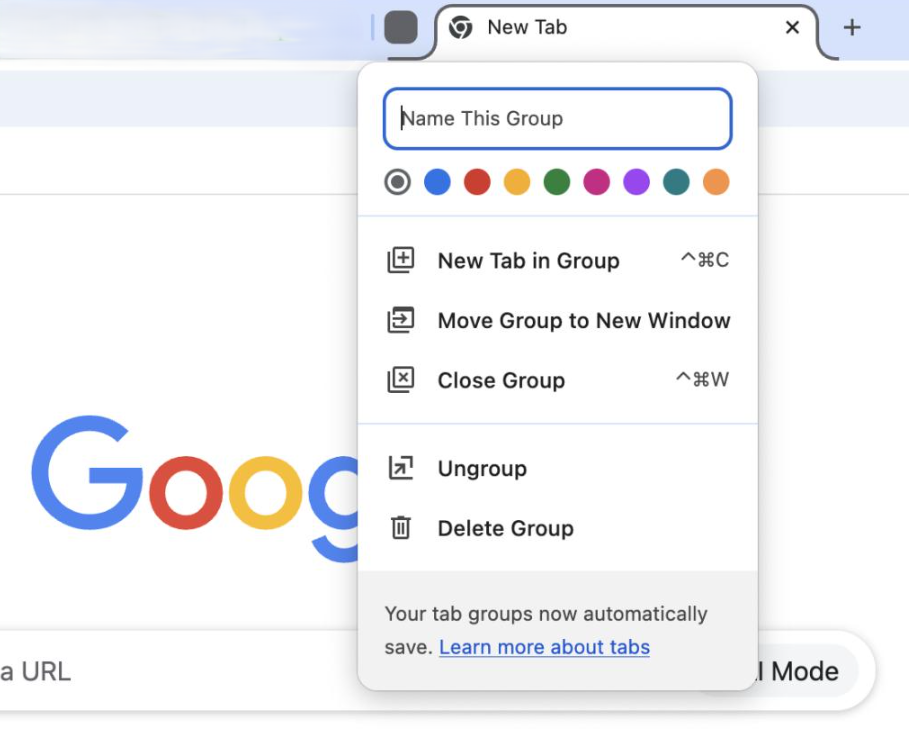
Right-click a tab and select Add Tab to New Group. From there, you can:
- Name the group
- Choose a color
- Add other tabs to the group
- Collapse the group to save space
This makes it easier to switch between tasks without digging through a crowded tab bar. Create tab groups for customers, projects, departments, or recurring tasks. Keeping related tabs together reduces clutter and makes it easier to find what you need and move between tasks throughout the day.
If your browser is where much of your work happens, spending a minute organizing your tabs can save time every day.
Have questions about this feature or other ways to improve productivity? Contact Wingman IT. We’re always happy to help.