
Good login security works in layers. The more barriers you add, the less likely attackers are to reach your data.
Strengthen Passwords and Authentication
If employees are reusing short or predictable passwords, you’ve already given attackers an opening. Instead:
• Require unique, complex passwords or better yet, passphrases.
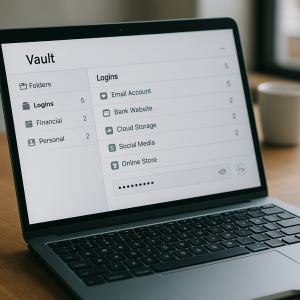
• Provide a password manager to store and generate strong credentials.
• Enforce multi-factor authentication (MFA) across all accounts.
• Check passwords against breach lists and rotate them periodically.
• Don’t leave “less important” accounts unprotected—every door matters.
• Using a business grade password manager such as the Passportal password manager from Wingman helps make all of this easy.
 Control Access and Privileges
Limit how many people have the keys.
• Restrict admin rights in every tool to the few who truly need them.
• Separate admin accounts from everyday use.
• Give third parties minimal access.
Secure Devices, Networks, and Browsers
Your policies fail if someone logs in from an unsafe device.
• Encrypt company laptops and use strong passwords.
• Require security apps for mobile users.
• Lock down Wi-Fi and enable firewalls for remote and on-site work.
• Keep systems and browsers updated automatically.
Protect Email Accounts
One phishing message can undo everything.
• Use advanced filtering and enable SPF, DKIM, and DMARC (we can help).
• Train staff to verify unexpected requests.
Plan for the Inevitable
Even strong defenses can be bypassed. Prepare with:
• An incident response plan
• Regular vulnerability scans and credential monitoring
• Frequent backups
Make Logins a Security Asset
You don’t have to fix everything at once. Start with your weakest link—like a shared admin login or missing MFA—and work upward. Every improvement builds a stronger, layered defense.